INSTALL MAC OS X LION THEME ON UBUNTU 11.10
Hello friend there is lot of theme for Ubuntu but Mac OS x is popular one so here i try to tell you to install this theme on your Ubuntu OS. which give you fell like mac OS. So i hope this method will help.
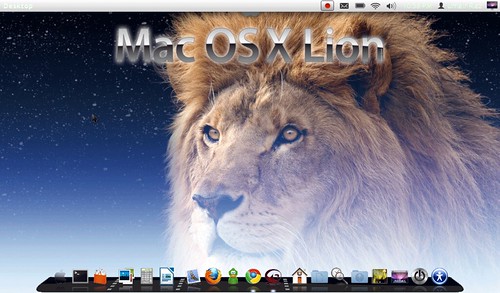
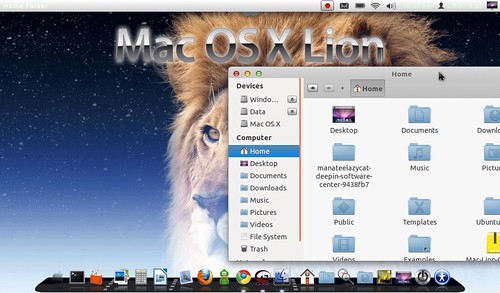
Now Install Mac OS X Lion Theme
Install Theme:
Open Terminal (Press Ctrl+Alt+T) and copy the following commands in the Terminal:- mkdir ~/.themes
- wget -O Mac-Lion-Theme.tar.gz http://goo.gl/qKwNY
- tar -xzvf Mac-Lion-Theme.tar.gz -C ~/.themes
- sudo add-apt-repository ppa:noobslab/themes
- sudo apt-get update
- sudo apt-get install mac-lion-theme
Install Icons:
Open Terminal (Press Ctrl+Alt+T) and copy the following commands in the Terminal:- mkdir ~/.icons
- wget -O Mac-Lion-Icons.tar.gz http://goo.gl/MjEGC
- tar -xzvf Mac-Lion-Icons.tar.gz -C ~/.icons
- sudo add-apt-repository ppa:noobslab/themes
- sudo apt-get update
- sudo apt-get install mac-lion-icons
Now Install Cairo Dock
From here : link
Now apply theme:
Install Gnome Tweak Tool with following command:
Install Gnome Tweak Tool with following command:
- sudo apt-get install gnome-tweak-tool
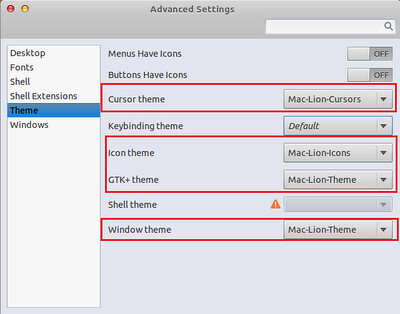
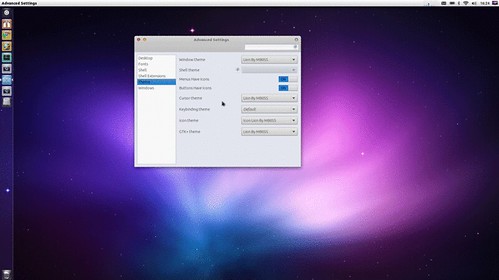
Now go to dash and search for "Advance Settings" and open it. Now follow the picture to apply theme.